Resume Designer — a local-first, AI-assisted resume builder for macOS, Windows, and the browser.

Local-first · AI-assisted · source-available

One master profile.
Infinite resumes,
tailored per job.

Keep your full history in one place, then spin off polished, job-tailored variants — privately, on your own machine. No account, no backend, no telemetry.
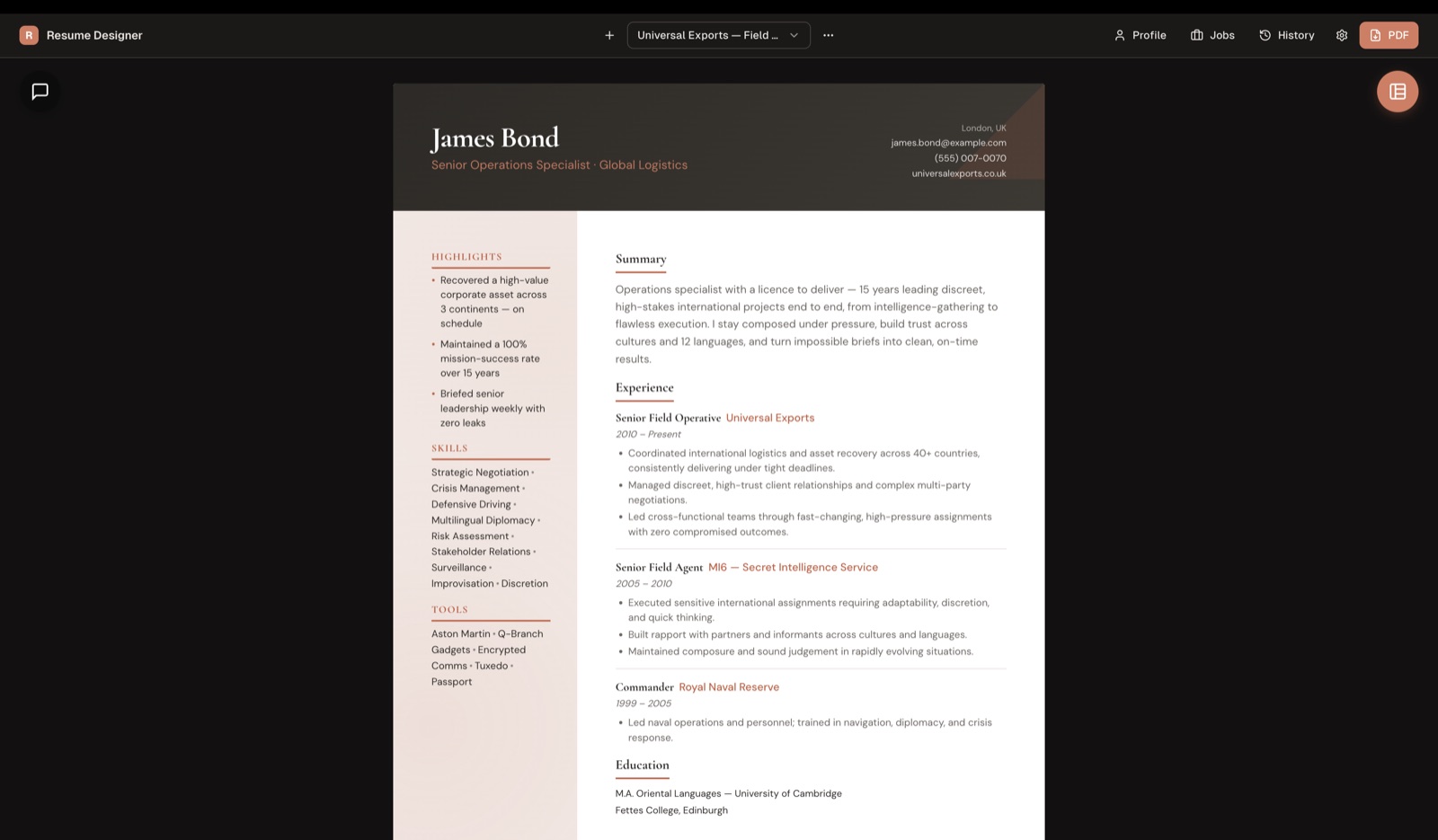
11
distinct resume layouts
0
accounts, servers, trackers
tailored variants per profile
macOS · Windows · browser
Resume Designer app
01 / What it does

A profile that works harder than you do.

Write your history once. Tailor it forever. Every piece built for speed, privacy, and a finished look you'd actually send.

One master profile, many tailored variants

Keep your complete work history, skills, education, and projects in a single source of truth — then spin off a fresh, job-specific variant for every role you chase. Edit the master, and every variant stays in step.

Bring-your-own AI, reviewed as diffs

Paste a job posting and the optional assistant drafts, rewrites, and tailors with your own OpenRouter key — many models, one key, every change yours to approve.

11 layouts, one click

Sidebar, Executive, Timeline, Creative, and more — swap the whole look without retyping a word.

Import & export

Pull a profile straight from a PDF or DOCX, then export clean, multi-page PDFs to send.

Local-first & private

Your profile, resumes, and settings live as plain files on your device. Nothing leaves unless you ask it to.

Desktop & browser

A native macOS and Windows app with a translucent liquid-glass UI — or run it right in your browser.

02 / You stay in control

The AI proposes.
You decide.

Paste a job posting and the assistant rewrites your resume against your master profile — applied as inline diffs you review, never a silent overwrite.

  • Streams the model's reasoning live, with a stop control and web-search citations.
  • Pick any model on OpenRouter, with per-model reasoning-effort control.
  • Per-run token and cost stats, so you always know what a draft costs.
Summary · tailored to job posting Review
 Senior product designer with 8 years of experience
building consumer web apps and design systems.
+leading 0-to-1 product design and scaling design systems for fintech teams.
 Comfortable owning end-to-end work from research
+to shipped, measurable outcomes across iOS and web.
Accept change Reject
03 / Get the app

Download. Open. Build.

Windows
Installer (.exe)
Windows 10 and 11, 64-bit
Unsigned — SmartScreen may warn. Choose "More info → Run anyway."
Update alerts On launch, the desktop app checks GitHub Releases and lets you know when a new version is available — you choose when to install it. Browse all releases on GitHub →
04 / Set up in minutes

Two short setups. Then you're writing.

Set up your OpenRouter key

Optional — only needed for the AI features.

1
Create a free OpenRouter account
Sign up at openrouter.ai — no card required to start.
2
Generate an API key
From your OpenRouter dashboard, create a new key.
3
Paste it into Settings
Drop the key into Resume Designer's settings panel.
4
Pick a model
Claude, GPT, Gemini, and more — switch any time.
Your key stays on-device and is sent only to OpenRouter, only for the AI calls you trigger.

How to use it

From blank profile to polished PDF.

1
Build your master profile
Enter your history by hand, or import an existing PDF or DOCX.
2
Generate or tailor a variant
Paste a job posting and tailor your profile to that role.
3
Review the AI's inline diffs
Approve or reject every change before it lands.
4
Export to PDF
Pick one of 11 layouts and send a clean, multi-page PDF.
05 / Questions

The short answers.

Is it free?
Yes. The app is free and source-available under CC BY-NC-SA 4.0. You can use it to create resumes for personal or commercial work; just don't resell, repackage, or host the app as a paid service. If you use the optional AI, you only pay OpenRouter for what you use — nothing goes to us.
Is my data private?
Yes. Resume Designer is local-first: your profile, resumes, and settings stay on your device. There's no account, no backend, and no telemetry.
Do I need the AI?
No. The AI assistant is entirely optional. Every other feature — layouts, import, export, variants — works fully without a key.
Which platforms?
A native desktop app for macOS and Windows, plus a browser build you can run anywhere without installing.
Source-available · CC BY-NC-SA 4.0

Free to use, study, and reshape.

Resume Designer is licensed under CC BY-NC-SA 4.0. Read the code, fork it, send a pull request — just don't commercialize the app itself without a separate arrangement.

View the repository
Community

Questions? Join the discussion.

Ideas, bug reports, layout requests, or just saying hi — bring them to GitHub Discussions and chat with the project.

Open GitHub Discussions